

Before you start: a Klarity workspace, and your intake / requirements framework on hand (BRD template, intake checklist) to shape custom Interviewer questions.
Who it’s for
- SDLC delivery teams — the people responsible for delivering through the software or project lifecycle (business analysts, project leads, delivery managers).
- PMOs — the people responsible for sourcing, scoping, and delivering projects.
The project journey
Klarity supports the people who move a project from a request to a delivered outcome. Here’s how it helps at each stage — who owns it, and the steps to do it.1
Source — intake
Who owns it: the PMO and project sponsors bringing in requests.
Goal: capture every request in a consistent, structured format so nothing is lost between “we need this” and scoping.Create a project node in the Process Index to hold the request (for example, a 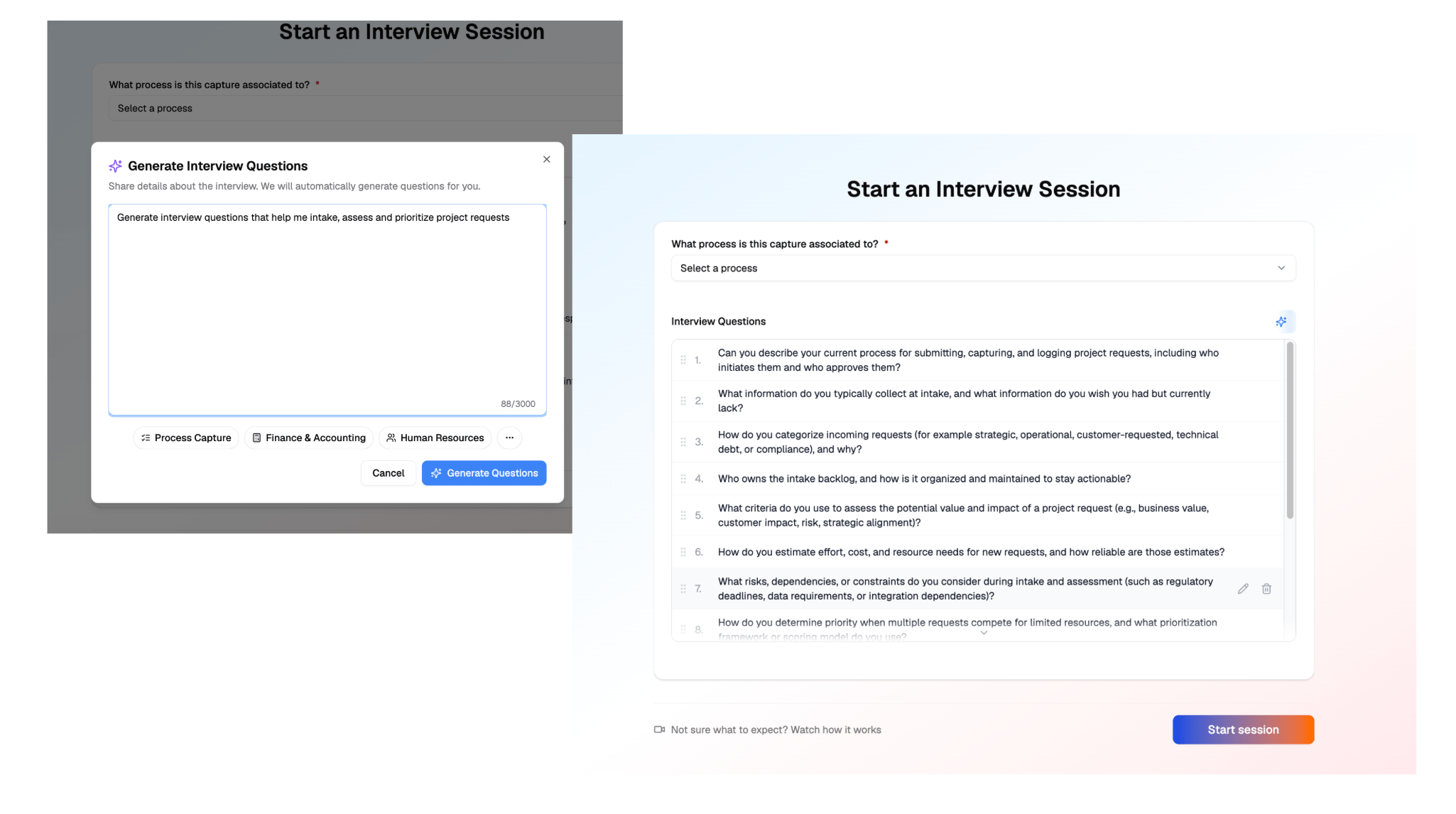
Projects → [Project name] node), then configure custom Interviewer questions that mirror your intake framework — one question per BRD field (justification, scope, success criteria, resources, timeline, dependencies, risks).2
Scope — requirements & design
Who owns it: business analysts, project managers, and architects turning a request into a plan.
Goal: turn the raw intake into an approved, buildable scope.Generate the BRD. Load your BRD template and requirements checklists in the workspace / Context Store so the output matches your format, then generate the BRD from the intake — three ways: from the BRD template (click Generate Documents on the process node, packaged), with Advisor (a single BRD, or broadly across several intakes at once), or via the Klarity MCP from your own client. No manual transcription. Review and baseline it with stakeholders — once approved, it’s the committed scope everything is measured against.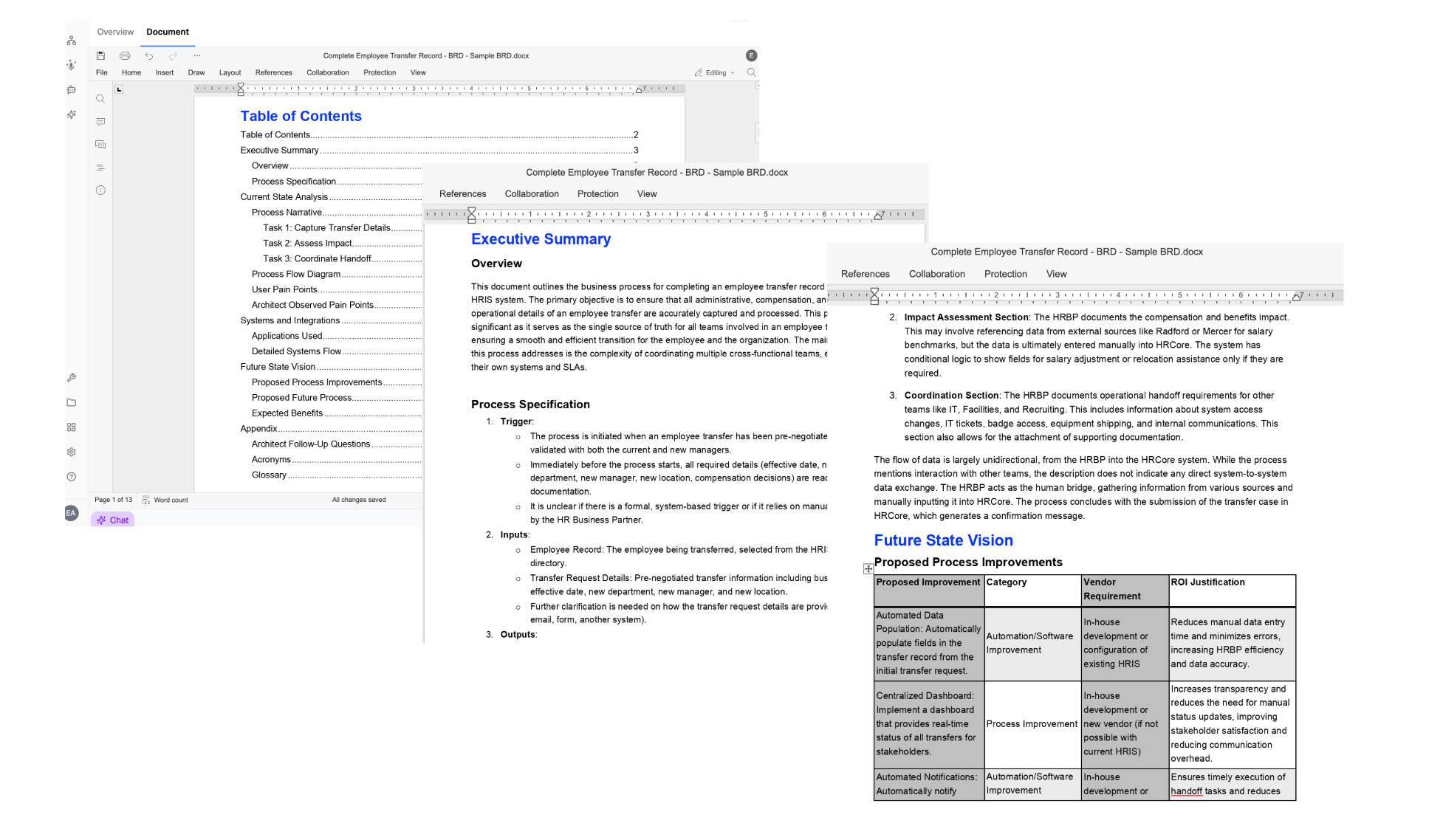
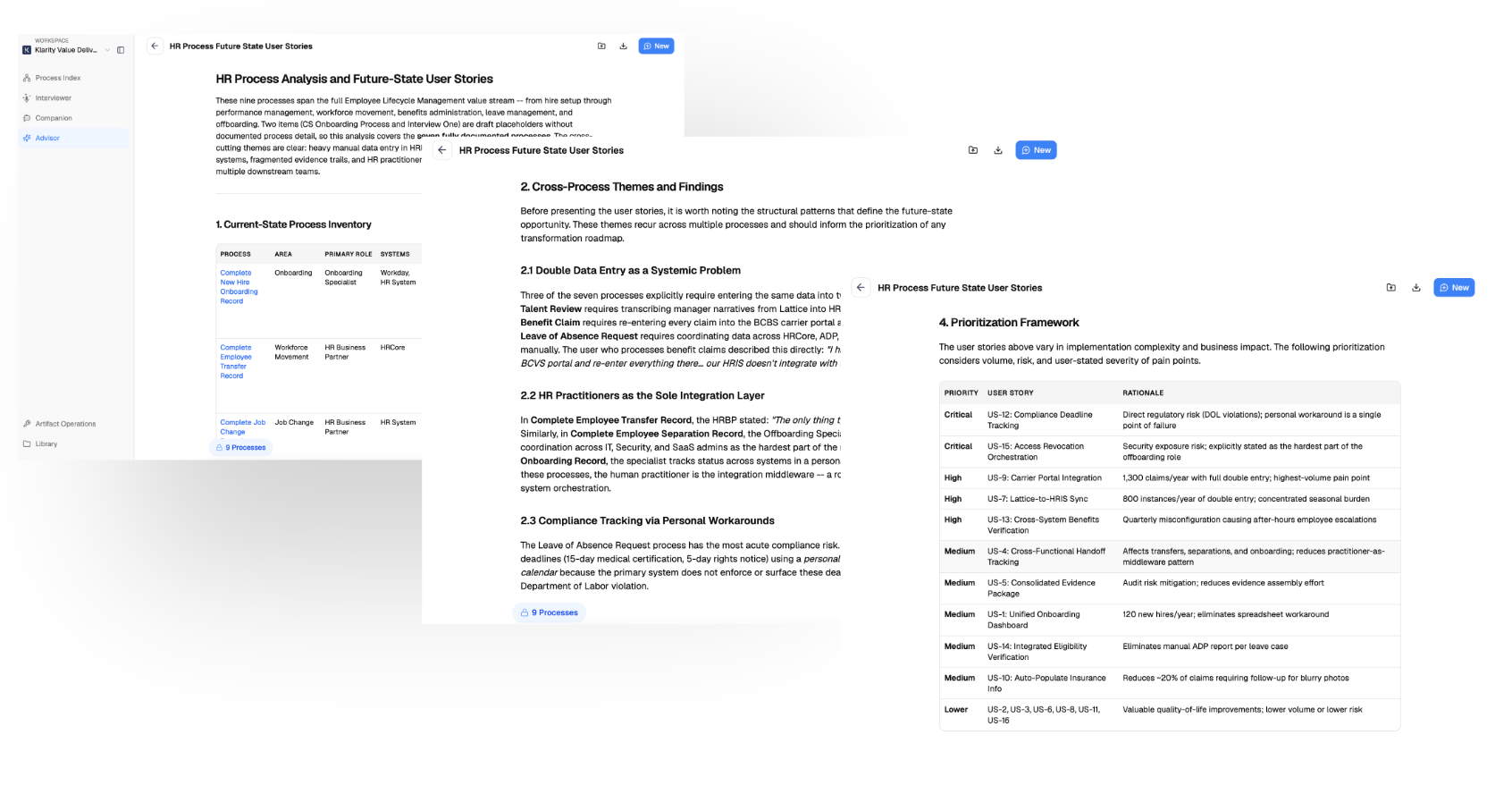
3
Deliver — build & run
Who owns it: the delivery team building and operationalizing the process.
Goal: build it, ship it, and fold the new process into your living process library.
- Hand off to the build — export the BRD and user stories into your sprint / delivery tooling.
- Capture the new process as it goes live — run Companion or the AI Interviewer on the process people now actually do. This is the moment the project enters Klarity’s normal product journey.
- Structure it — place the new process node in your Process Index so it lives alongside the rest of your operation.
- Improve it — once it’s running, use Advisor to find friction and opportunities, just like any other process.
Delivering a project flows into the normal Klarity journey. The deliver stage above is the Discover → Structure → Improve loop — the project graduates from “a plan” into a real, maintained process, not a doc that goes stale. See Getting started.
What you get
- BRD (Business Requirements Document) — consolidates current state, pain points, technical requirements, system flows, and expected benefits.
- User Story templates — auto-generate stories from a BRD, ready for development sprints.
Advisor or the MCP — your company brain. Everything you capture is queryable in-app with Advisor, or via the Klarity MCP from your own client (Claude, etc.), so you can build exactly the requirements or analysis you need — not just the packaged templates.
Advisor prompts
Intake vs. approved scope
Scope changes in delivery
Requirements gaps
Tips
- Standardize intake before you automate it. If intake is different every time, the AI reflects that inconsistency — nail the framework first.
- Capture scope from the intake, not a blank page. A grounded BRD beats one written from scratch.
- Layer information progressively. Add detail as it arrives — requirements at intake, design during scoping, the live process at delivery.
Where to go next
Getting started
The Discover → Structure → Improve journey your delivered projects flow into.
Using and editing templates
Build the BRD or user-story template these workflows rely on.