

Before you start: a Klarity workspace, the process you want to document, and (optionally) your house documentation format to build into a custom template.
Who it’s for
Operations teams, process owners, and enablement teams who need reliable documentation without weeks of manual writing.What you get
- SOP (Standard Operating Procedure) — a detailed, step-by-step guide to how a process is done today.
- PDD (Process Definition Document) — scope, executive summary, and a high-level flow.
Walkthrough: documenting a process
Say you’re documenting how your team processes a customer refund so any teammate can follow it.1
Decide your scope and set up the node
Document at the individual process node (recommended) — one node for the process you’re writing up (for example,
Order to Cash → Returns → Process Refund). For a broader manual you can walk an entire value stream, but node-by-node keeps each document focused. Create the node in the Process Index.2
Capture the process
- Companion — record someone doing a refund end to end.
- AI Interviewer — walk the process owner through it (Observation or Q&A mode).
- File upload — an existing recording or rough notes.
3
Review and refine the capture
Klarity drafts; you refine. Confirm the steps, systems, and decision points are right before generating — accurate input is what makes a usable SOP.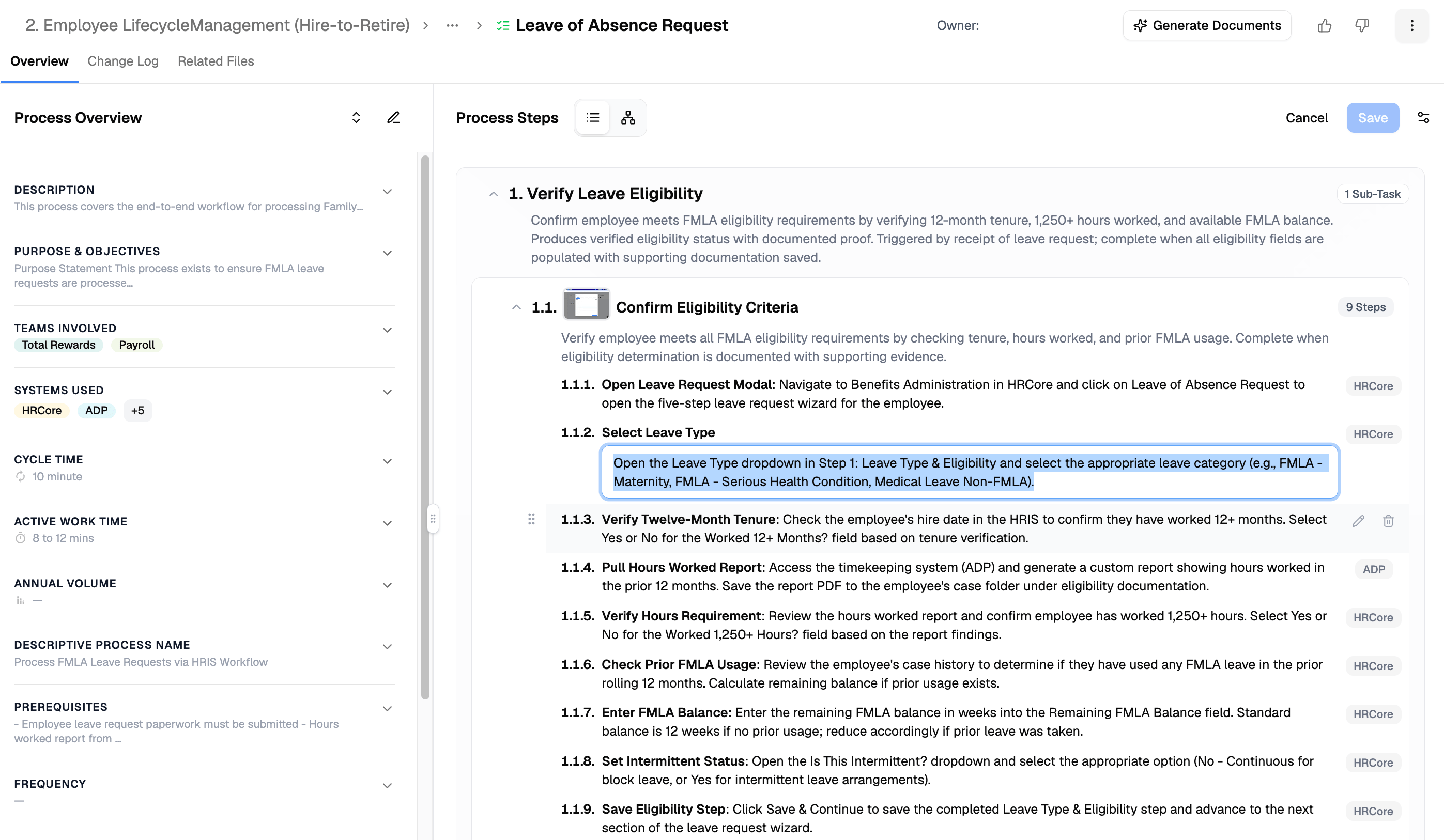
4
Pick your output type
- SOP when people need to follow the process — detailed, step-by-step.
- PDD when leaders need to understand it — scope, summary, and high-level flow.
5
Generate the document
Three ways — pick based on how packaged vs. custom you want it: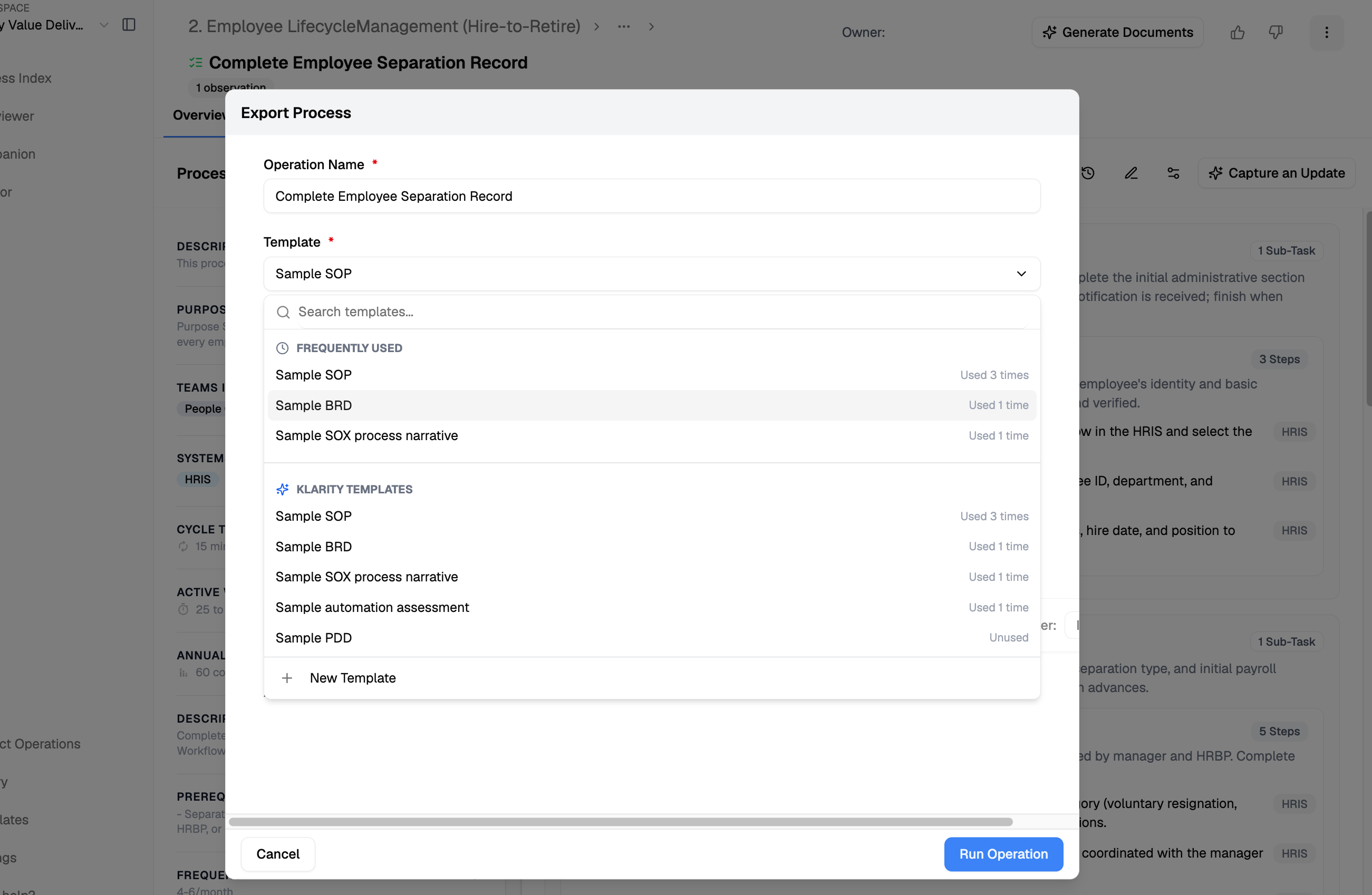
- From a template (packaged): from the process node, click Generate Documents (or, from the Artifact Operations page, + Operation in the top right), then select the SOP (or PDD) template and your capture, and generate.
- With Advisor: ask for a single document, or broadly generate docs across a value stream in one pass.
- With the Klarity MCP (your own platform): connect the MCP to your client (Claude, etc.), query your workspace as a company brain, and generate the doc — or a custom format — yourself.
Template vs. Advisor vs. MCP: the template is the fastest packaged output; Advisor is best for a single or broad doc on demand; the Klarity MCP lets you query the company brain from your own platform and produce exactly the format you need.
6
Review with the process owner
Have the owner confirm the steps and details are accurate — the human-in-the-loop pass before it’s official.
7
Share it
Export the SOP/PDD for your wiki, LMS, or handbook, or share the link.
8
Keep it current
Let Companion keep the underlying process up to date as work evolves, and re-generate the document when it changes — so it never goes stale.
Advisor prompts
Find gaps in the draft
Make it new-hire friendly
Tips
- Choose SOP when people need to follow the process; PDD when leaders need to understand it.
- Set your terminology and formatting once in a custom template so every document matches your standards.
Related
Using and editing templates
Customize SOP/PDD output to your documentation standards.
Current State Discovery
The three ways to capture a process.