

Before you start: a Klarity workspace, the process you want to document, and your control framework or compliance standard on hand to load as reference.
Who it’s for
Compliance, internal audit, controllership, and risk teams who need accurate, repeatable process-and-controls documentation — for SOX, and for other control frameworks and audit requests.What you get
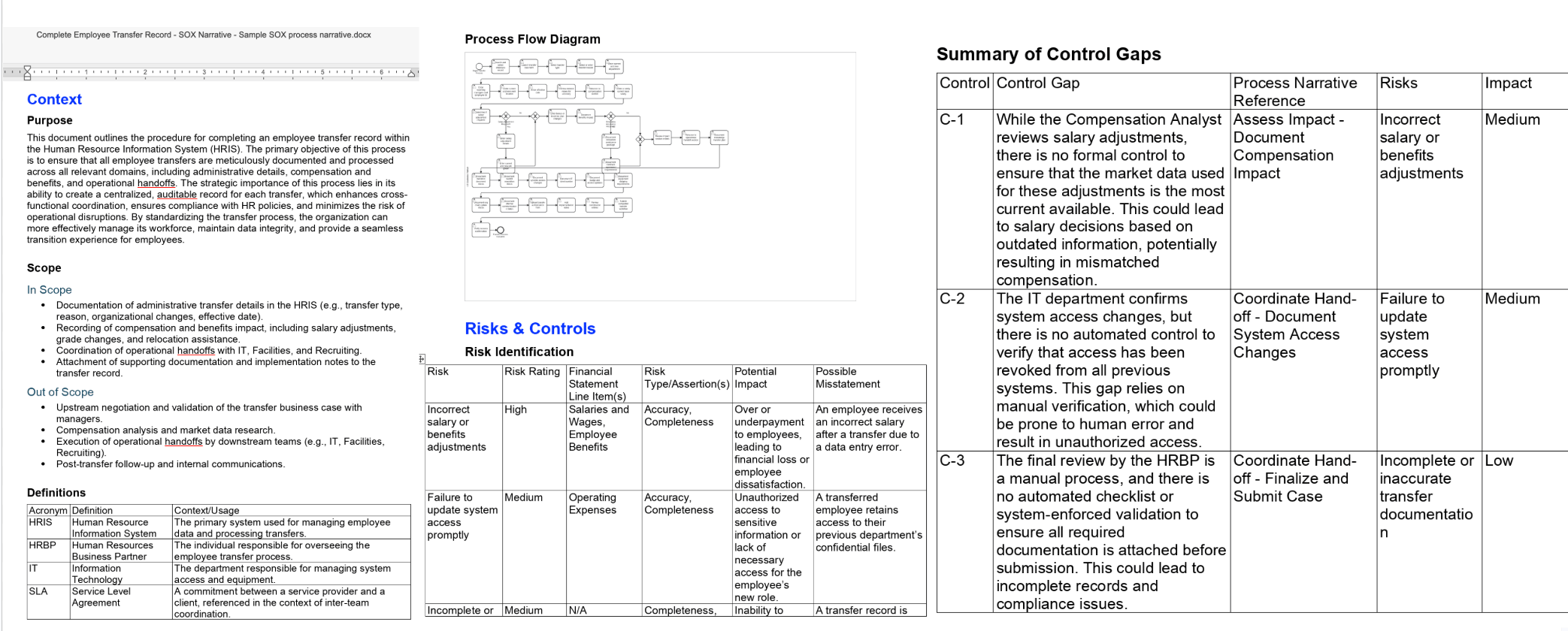
The SOX Narrative template produces a document that outlines the steps of the process as performed, identifies the risks at each step, evaluates the controls that mitigate those risks, and summarizes control gaps where a risk isn’t covered. For frameworks beyond SOX, use or customize a template that mirrors your control catalog.Walkthrough: documenting a process for SOX
Say your controllership team needs SOX documentation for invoice approval in accounts payable. Here’s the end-to-end flow.1
Decide your scope and set up the node(s)
Most audit documentation is done at the individual process node — one node per process you’re putting under a control lens (for example,
Order to Cash → Billing → Invoice Approval). We recommend capturing current state node-by-node: it keeps risks and controls mapped cleanly to a specific process. You can capture at a broader level — walking an entire value stream end to end when you want a wider view — but for controls work, node-by-node is cleaner. Create the node(s) you’ll document in the Process Index.2
Load your control framework into the Context Store
Open the Context Store and add your control catalog, risk rubric, and compliance standards as reference — so Advisor assesses against your controls, not generic ones. Keep entries concise (the assessment criteria and decision rules, not whole documents). See Refining the context store.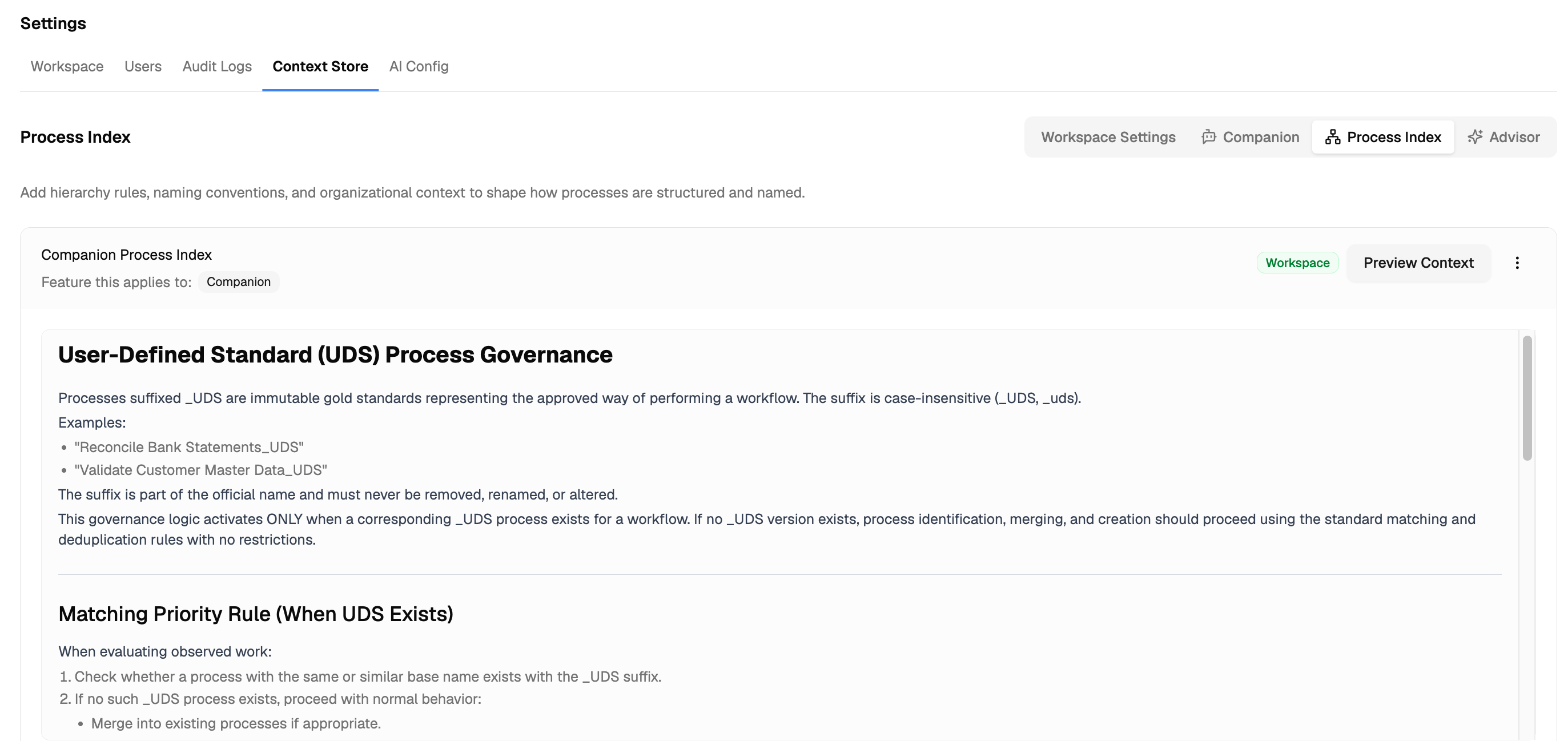
Alternative — point Advisor at your framework file. If your controls framework already lives as a document in your workspace library, you don’t have to paste its contents into the Context Store. Instead, add a Context Store rule that tells Advisor to use that file as the source of truth — so the framework stays in one maintained document. For example:Update the document and every assessment picks up the change — no Context Store edits needed.
Context Store rule
3
Capture the process as it's performed
Pick the capture method that fits:
- Companion — record the process owner doing invoice approval end to end.
- AI Interviewer — walk a control owner through it (Observation Mode for a free walkthrough, Q&A Mode for targeted follow-ups on controls and exceptions).
- File upload — if you already have a recording or SOP.
4
Review and refine the capture
Klarity drafts; you refine. Before generating anything, review the captured process — confirm the steps, systems, and attributes are accurate, and fix anything the AI got wrong. Clean input is what makes the controls narrative reliable.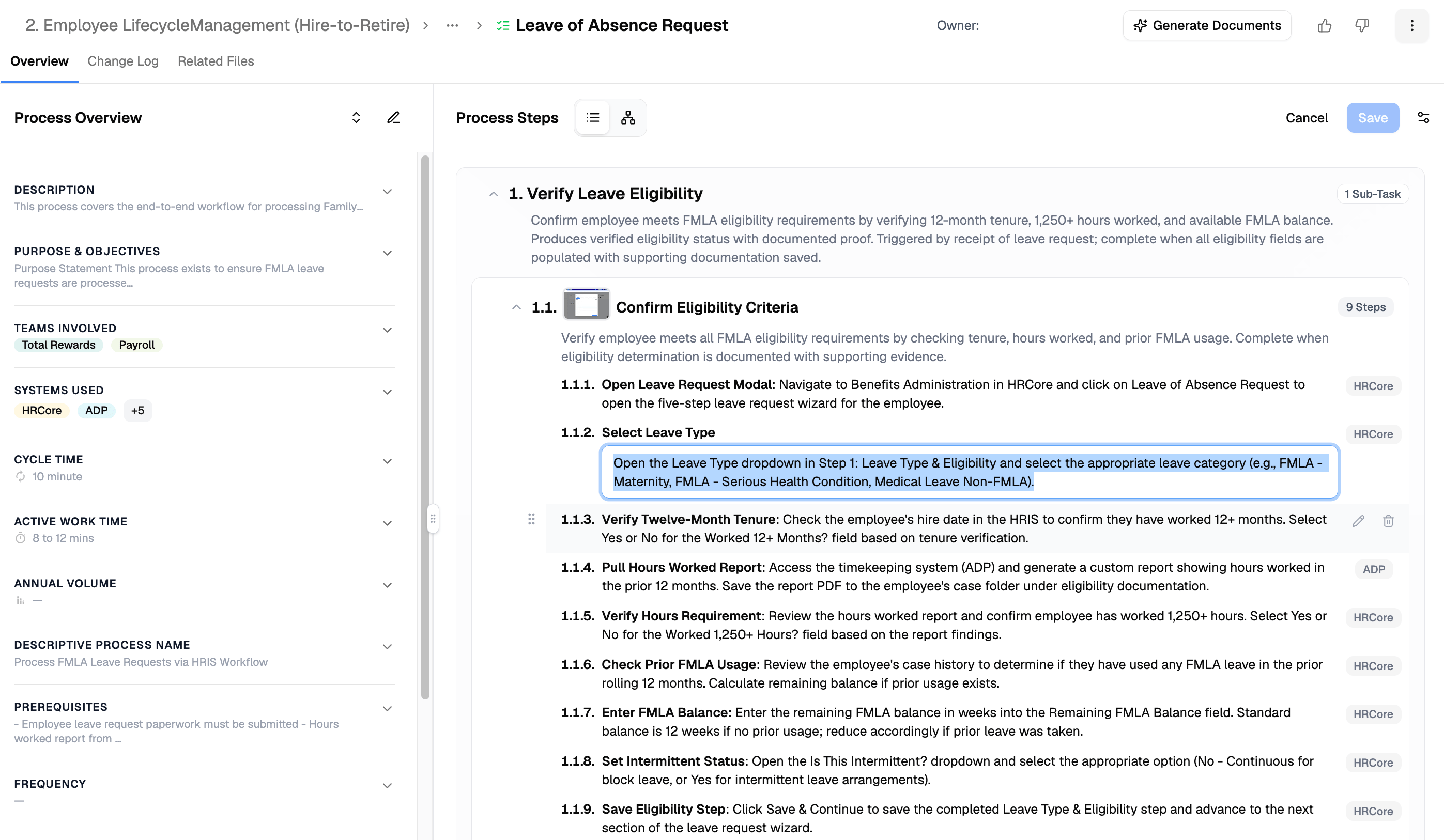
5
Generate the SOX narrative
You have three ways to produce it — pick based on how packaged vs. custom you want the output: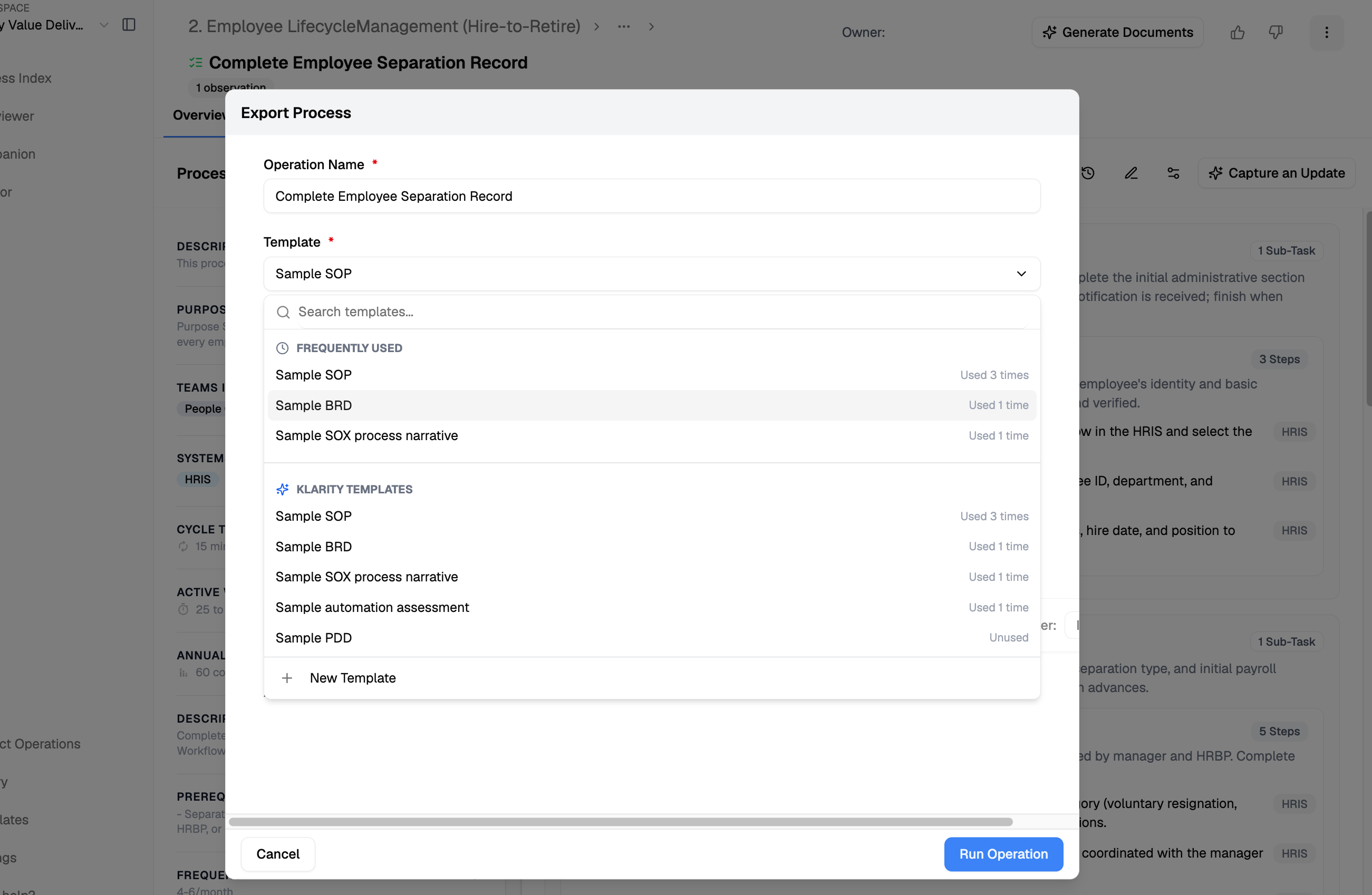
- From a template (packaged): from the process node, click Generate Documents (or, from the Artifact Operations page, + Operation in the top right), then select the SOX Narrative template and your captured input, and generate. Fastest, and consistent every time.
- With Advisor: ask Advisor to draft the narrative — for a single process, or broadly across a value stream or several processes in one pass.
- With the Klarity MCP (your own platform): connect the MCP to your MCP client (Claude, etc.), query your workspace as a company brain, and generate the narrative — or a custom variant — yourself.
Template vs. Advisor vs. MCP: the template is the fastest packaged output; Advisor is best for a single or broad narrative on demand; the Klarity MCP lets you query the company brain from your own platform and build exactly what you need.
6
Assess coverage and gaps
With the narrative in hand, assess control coverage — run the prompts below in Advisor, or query your workspace via the MCP. This is where you find missing controls and confirm each risk is covered.
7
Build the remediation plan
Where Advisor flags control gaps, have it draft a prioritized remediation plan (weighted by risk and complexity), then assign owners.
8
Lock the approved version and monitor drift
Once the narrative is validated, pin it as a User-Defined Standard (name the file ending in
_UDS). From then on, ask Advisor to compare observed work against the standard so you catch control drift over time. See Set your process standard (UDS).Your controls documentation stays evergreen. Because the process lives in your Process Index and Companion keeps it current — the normal Discover → Structure → Improve loop — your narrative isn’t a point-in-time artifact. Re-generate it any time the process changes, and let the UDS flag drift in between.
Advisor prompts
Control coverage assessment
Compliance gap analysis
Remediation plan
Control drift (with a UDS in place)
Tips
- Keep one process per narrative so risks and controls map cleanly.
- Re-generate after a process change rather than hand-editing the old narrative, so documentation stays tied to how work actually runs.
Related
Using and editing templates
Build or tailor the SOX Narrative / control template.
Set your process standard (UDS)
Pin an approved standard and track deviations over time.
Running an Advisor analysis
The analysis engine behind coverage & gap assessment.